
Archive.org Book to PDF Downloader
Chrome Extension · Archive.org · OpenLibrary.org · Flipbook → PDF
📚 For researchers, students, and book lovers, Archive.org and OpenLibrary.org are treasure troves of free digital books. But there's always been one frustrating limitation: book previews can't be easily saved for offline use. That's exactly what Archive.org Book to PDF Downloader solves.
This powerful Chrome extension automatically scans every available preview page, handles the tricky blob URL format used by these platforms, removes duplicates, and compiles everything into a clean, one-click downloadable PDF — with no manual screenshotting, no missing pages, and no complicated setup required.
✅ Features
- ✔Auto-Scroll & Capture: Detects and captures every preview page automatically
- ✔Blob URL Support: Handles blob:https:// images that other tools miss
- ✔Duplicate Removal: Skips repeated pages for a clean, accurate output
- ✔One-Click PDF Export: All pages compiled into a single downloadable PDF
- ✔Archive.org Support: Full compatibility with Archive.org book previews
- ✔OpenLibrary.org Support: Works on Open Library pages too
- ✔Dynamic Page Handling: Captures lazily-loaded images without missing any
- ✔Canvas API Rendering: Converts blob images via HTML5 Canvas for perfect fidelity
- ✔Optimized File Size: Balances quality and file size automatically
- ✔No External Software: Works entirely inside Chrome — nothing to install
📷 Screenshots

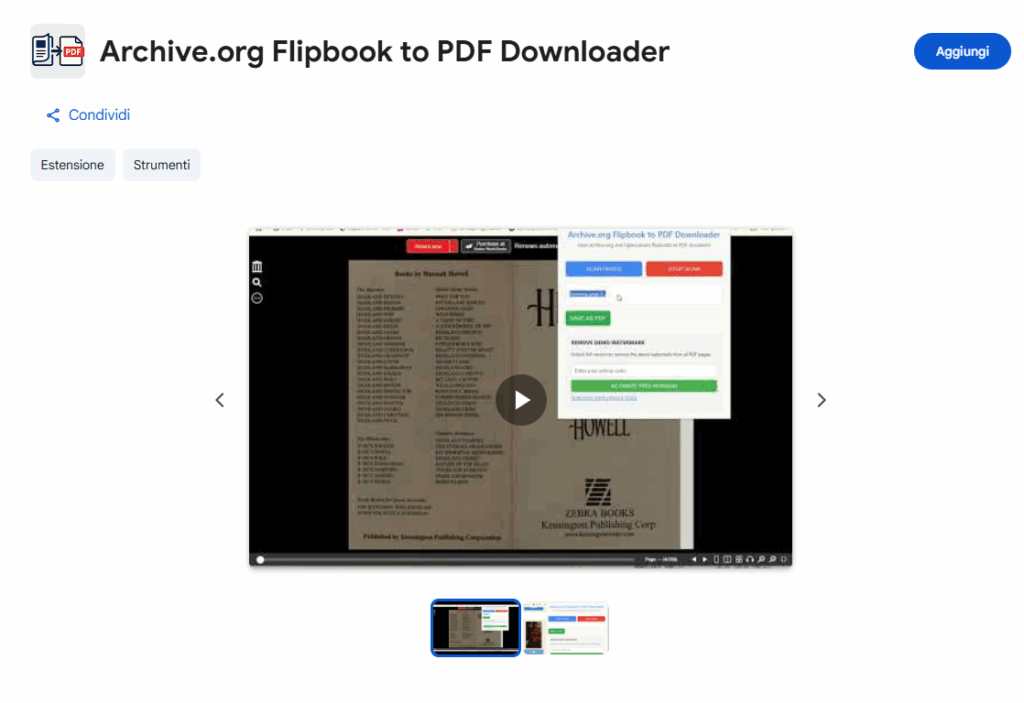
📖 Complete Guide
Step-by-step walkthrough — click any screenshot to enlarge.
Installation & Setup
- Click Install on Chrome Web Store and confirm by clicking Add to Chrome
- The extension icon will appear in your Chrome toolbar (pin it for easy access)
- Navigate to a book preview page on Archive.org or OpenLibrary.org
- Click the extension icon to open the control panel
- Press Start Scanning and let the extension work automatically
- When scanning is complete, click Download PDF
Open a Book on Archive.org or OpenLibrary.org
Go to archive.org or openlibrary.org and open any book that has a Read Online / Preview option. The extension works with publicly available previews — no borrowing or account required for freely accessible content. Once the flipbook viewer loads in your browser, you're ready to proceed.
Start Automatic Page Scanning
Click the extension icon in the toolbar and press Start Scanning. The extension will automatically scroll through every page of the book preview, capturing each one as it loads. It handles blob:https:// image URLs — the format Archive.org uses internally — by rendering them through the HTML5 Canvas API, ensuring not a single page is missed. Duplicate frames are automatically skipped so your final PDF stays clean and accurate.
Download Your PDF
Once scanning is complete, click Download PDF. The extension compiles all captured pages into a single, well-structured PDF file and triggers an immediate browser download. The output is optimized to balance readability and file size — perfect for offline study, annotations, or archiving. The free version supports a limited number of pages per session; unlock PRO to remove all page limits and save entire books.
⚖️ Why This Extension Wins
| Feature | This Extension | Manual Screenshots | Other Downloaders |
|---|---|---|---|
| Auto-Scroll & Capture | ✅ Yes | ❌ No | ❌ Some |
| Handles Blob URLs | ✅ Yes | ❌ No | ❌ Most fail |
| Removes Duplicates | ✅ Yes | ❌ No | ⚠️ Sometimes |
| One-Click PDF Export | ✅ Yes | ❌ No | ✅ Some |
| Works on Archive.org & OpenLibrary | ✅ Yes | ✅ Yes | ❌ Many don't |
🎯 Who Should Use This Extension?
-
🎓
Researchers & Academics
Save book previews for annotations and citations. Build offline reference libraries for long-term projects. -
📝
Students
Extract textbook previews for study materials. No more reliance on a constant internet connection. -
📦
Book Archivists & Enthusiasts
Preserve rare or out-of-print books in PDF format. Create personal digital libraries you truly own. -
📖
Casual Readers
Read books offline without manually screenshotting every page. Store previews before they become unavailable.
💡 Pro Tips
- ★ Wait for the book viewer to fully load before starting the scan
- ★ Keep the browser tab active during scanning for best capture results
- ★ Use PRO to download entire books without page limits
- ★ Works with both Archive.org flipbooks and OpenLibrary.org read-online previews
- ★ Always verify the copyright status of a book before redistributing the PDF
- ★ For best PDF quality, avoid zooming in or out in the viewer during the scan
With Archive.org Book to PDF Downloader, saving digital books for offline reading has never been easier. No manual screenshotting, no missing pages, no complicated tools — just install the extension, open a book on Archive.org or OpenLibrary.org, and download your PDF in seconds. 📚
⬇️ Install Free from Chrome Web Store⚠️ Disclaimer: This tool is intended for personal, educational, and research use only. Use responsibly and always respect the copyright status of the content you download. The developers are not responsible for any misuse of the downloaded material.