X/TwitBot Pro
Chrome Extension · Auto Like · Reply · Repost · Follow · Extract Users
Want to grow your X/Twitter presence without spending hours on manual engagement? 🚀 X/TwitBot Pro is a powerful Chrome extension designed to automate operations on X/Twitter to increase your interactions and gain greater visibility.
You will be able to acquire new real followers interested in your content in a short time. Whether you're a content creator, marketer, business owner, or simply someone who wants to grow their following efficiently, X/TwitBot Pro gives you all the tools you need. The extension works as a sidebar panel directly within X/Twitter's interface, so you can see your feed while using the bot!
✅ Features
- 📥 Extract followers from any profile
- 📥 Extract following list from any profile
- #️⃣ Extract users by hashtag
- 💬 Extract commenters from any post
- ❤️ Auto Like posts by hashtag
- ❤️ Auto Like posts from user list
- 💬 Auto Reply with random templates
- 🔁 Auto Repost (Retweet) by hashtag
- 🔁 Auto Repost from user list
- 👥 Bulk Follow users from list
- 👤 Bulk Unfollow users
- 📤 Export extracted users to TXT
- 📥 Import user lists from TXT files
- ⏱️ Customizable delays between actions
- 📊 Real-time progress tracking
- 🖥️ Sidebar interface (see feed while using)
- 🛡️ Smart delays to protect your account
- 🔓 PRO unlock for unlimited actions
📖 How to Use X/TwitBot Pro
Extract Followers / Following / Hashtag / Commenters
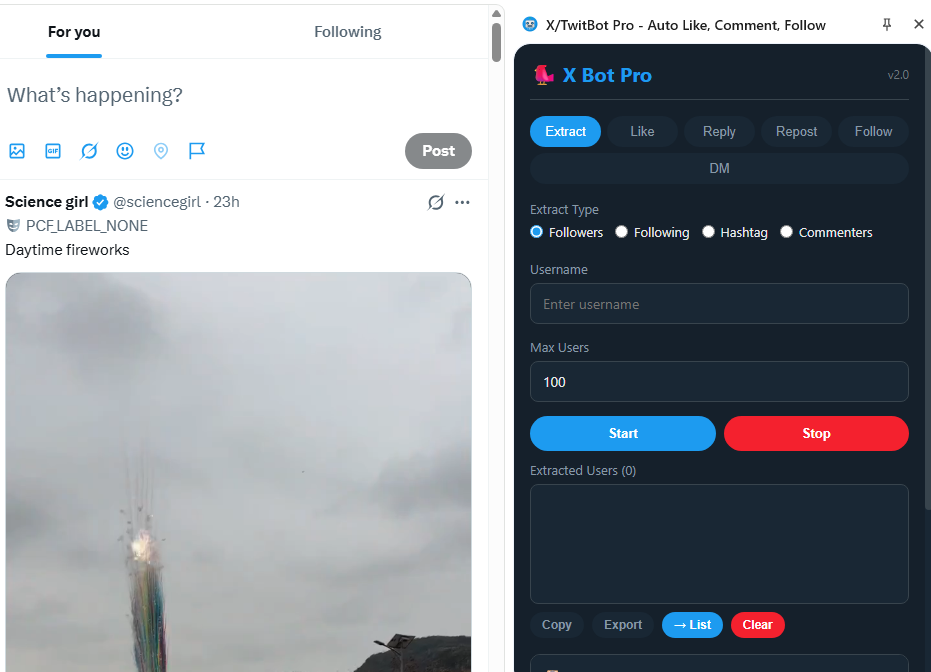
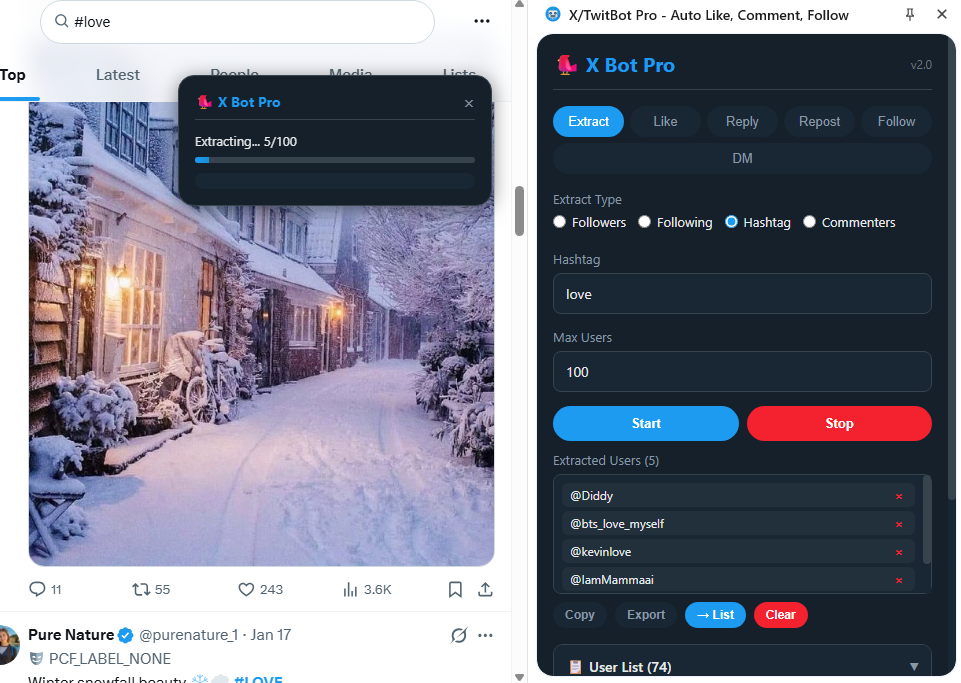
Open the Extract tab in the sidebar. Select extraction type: Followers, Following, Hashtag, or Commenters. Enter the target username (without @), hashtag (without #), or post URL and set the maximum number of users to extract. Click Start and watch as the extension automatically scrolls and collects usernames. Once complete, you can Copy the list, Export to a TXT file, or send directly to your User List with the → List button.
Auto Like
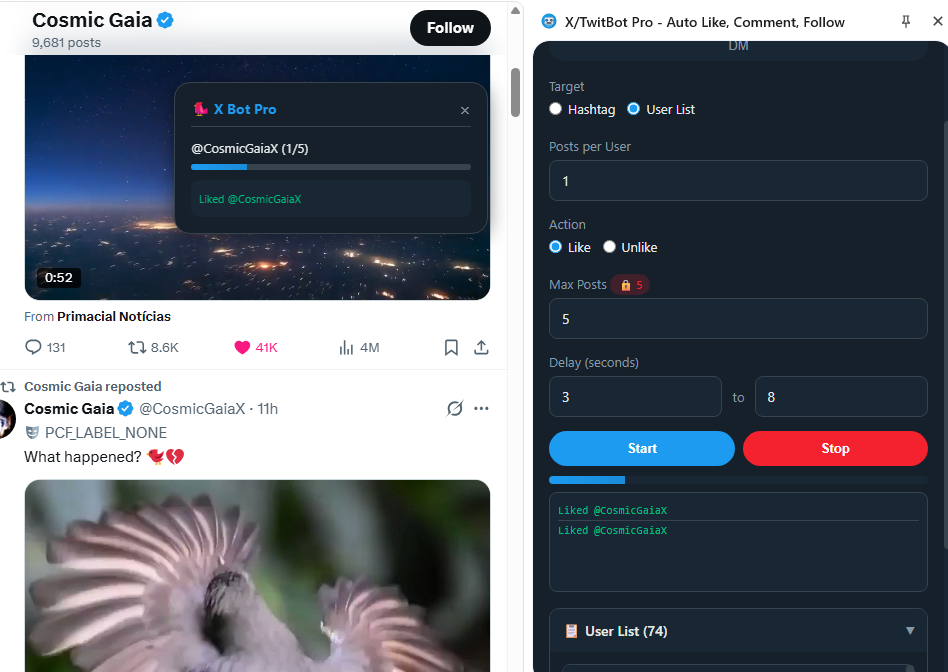
Head to the Like tab. Choose your target: a specific Hashtag or a User List (use your previously extracted users or import from a TXT file). Select the action: Like or Unlike. Configure the minimum and maximum delay between likes to mimic natural human behavior, then click Start. The progress bar and log will show you real-time updates of the automation. The free version allows 5 likes per session; unlock PRO for unlimited actions.
Auto Reply
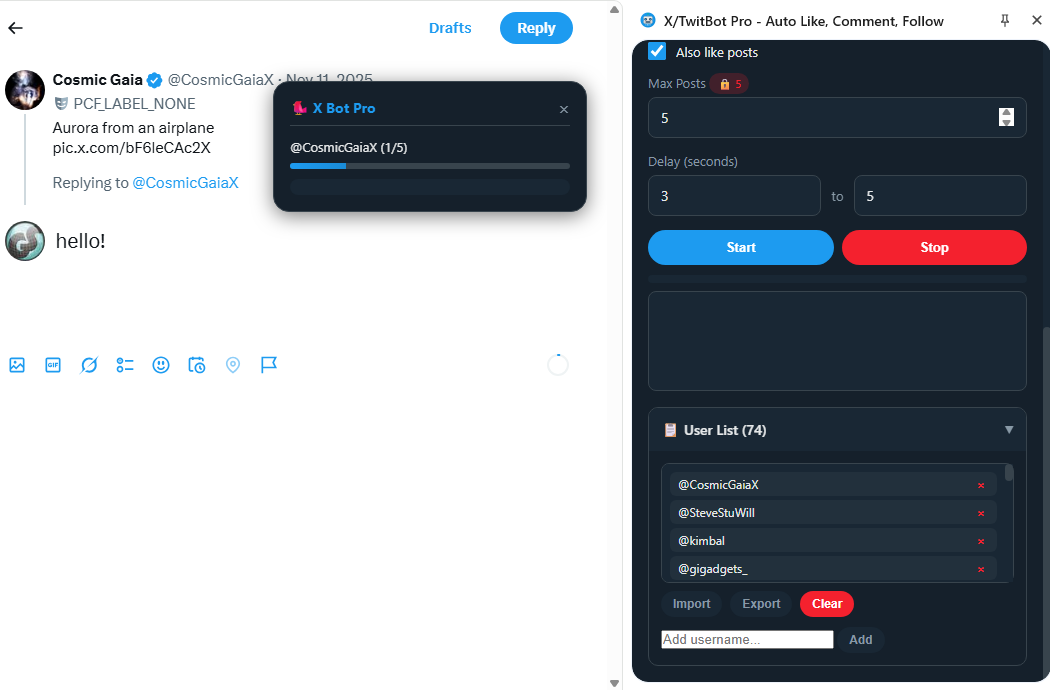
Open the Reply tab. Add multiple reply messages (one per line) — the extension rotates through them randomly to avoid spam detection and make your engagement look natural. Select your target (hashtag or user list), adjust delays, optionally enable "Also like posts" for double engagement, and press Start. Real-time logs show each reply as it's posted so you always know what's happening. You can also import replies from a TXT file using the Import button.
Auto Repost (Retweet)
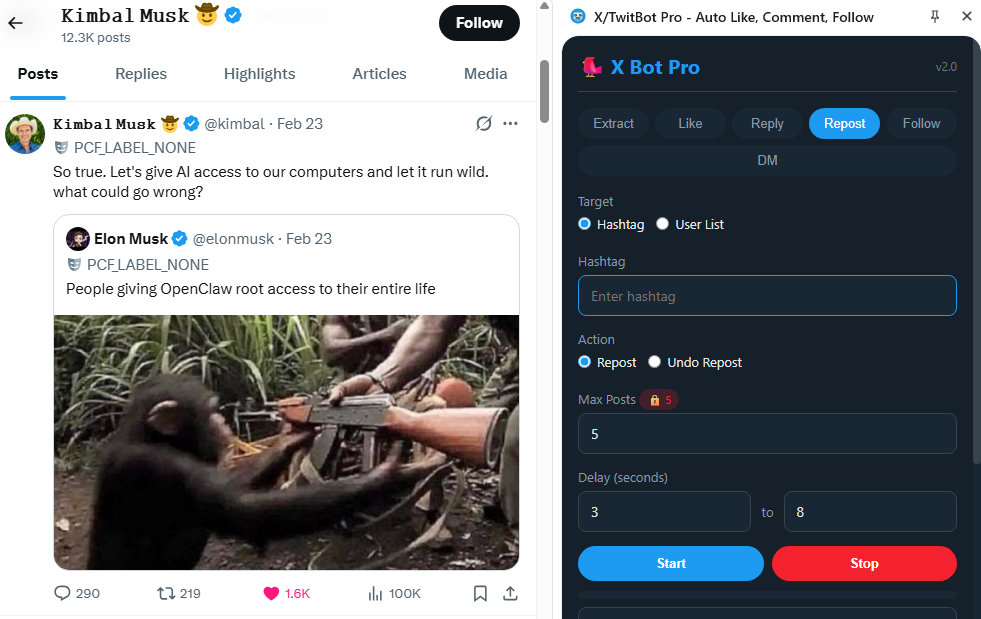
Navigate to the Repost tab. Select your target: Hashtag or User List. Choose the action: Repost or Undo Repost. Set the maximum number of posts to repost and configure the delay range between each action. Click Start and the extension will automatically repost the most recent posts from your selected targets. Great for curating content and increasing engagement with accounts in your niche!
Bulk Follow / Unfollow
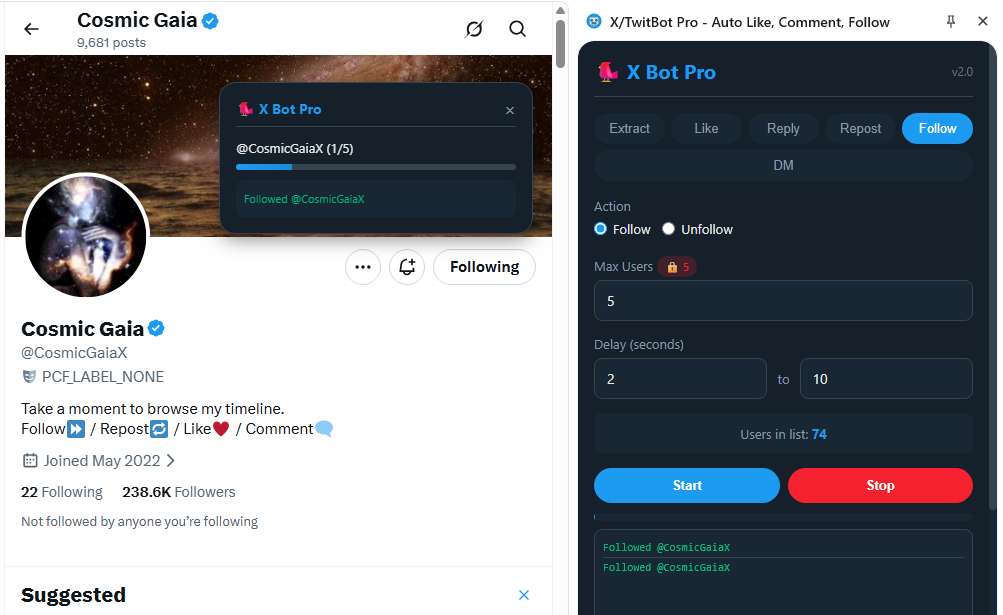
Go to the Follow tab. Your User List panel shows all the usernames you've collected or imported. Select Follow or Unfollow, set the delay range between each action, and click Start. The extension visits each profile automatically and clicks the follow/unfollow button. Smart delays between actions simulate human browsing and help keep your account safe. Pro tip: Extract followers from a competitor profile → import the list → bulk-follow them for maximum growth!
🛡️ Anti-Ban Tips for Safe Growth
- ★ Use realistic delays (10–30 seconds) to mimic human behavior
- ★ Don't perform more than 400-500 actions per day (within 24 hours)
- ★ Avoid leaving the extension running for too many hours without supervision
- ★ Don't send replies that may be considered spam — avoid links in comments
- ★ Start with small numbers and gradually increase
- ★ Take breaks between automation sessions to appear more natural
📊 Recommended Daily Limits:
- Like: max 50-60/hour, 800-1000/day
- Replies: max 20/hour, 200/day
- Follow: max 60-80/hour, 800/day
- Unfollow: max 60-80/hour, 800/day
- Repost: max 50/hour, 500/day
With X/TwitBot Pro, growing your X/Twitter presence has never been easier. Save hours of manual work, engage with your target audience automatically, and focus on what matters most — creating great content. No complicated setup, no external software: just install, configure, and grow! 🚀
⬇️ Install Free from Chrome Web Store⚠️ Disclaimer: This tool is for educational and productivity purposes. Use responsibly and in accordance with X/Twitter's Terms of Service. The developers are not responsible for any account restrictions resulting from misuse.