
X – No Auto Translation
Chrome Extension · Disable Grok AI Auto-Translation · Original Posts
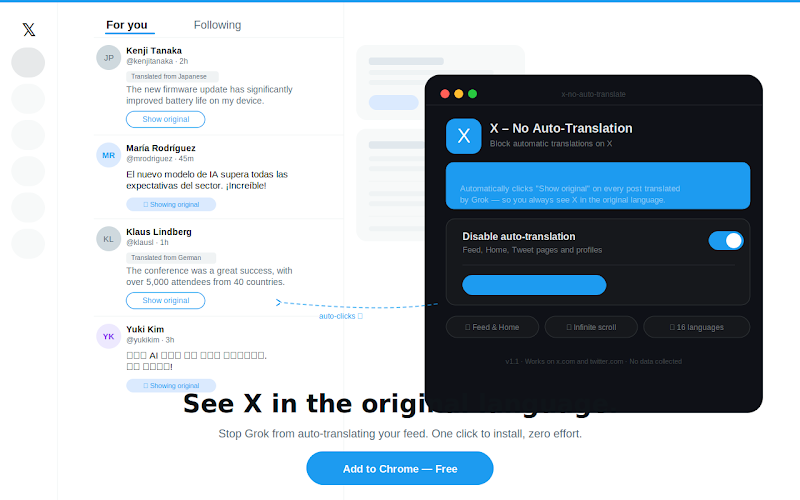
Tired of Grok AI automatically translating posts on X/Twitter? 🚫🌐 X - No Auto Translation disables automatic translation of posts by Grok AI. Every time Grok auto-translates a post, the extension instantly clicks the "Show original" button, restoring the text to its original language — without you having to do anything.
Works on the main feed (Home), individual tweet pages, user profiles, and supports infinite scroll. Perfect for language learners, international users, and anyone who prefers to read posts in their original language.
✅ What It Does
- 🏠 Works on Home feed — automatically reverts translated posts as you scroll
- 📄 Works on individual tweet pages — see the original text immediately
- 👤 Works on user profiles — browse profiles in original language
- ♾️ Supports infinite scroll — uses MutationObserver to detect new posts
- 🔘 ON/OFF toggle — easily enable or disable from the extension popup
- 🌍 Localized interface — UI available in 16 languages
- ⚡ Instant action — clicks "Show original" automatically, no manual intervention
📖 How to Use
Install the Extension
Click the button below to install X - No Auto Translation from the Chrome Web Store. The installation takes just a few seconds and protection is automatically enabled — no setup required!
Browse X/Twitter — See Original Posts
Simply open X (twitter.com or x.com) and browse as usual. Whenever Grok AI tries to auto-translate a post, the extension will instantly click "Show original" for you, restoring the post to its original language. No more clicking manually on every translated post!
Toggle Protection (Optional)
Need to temporarily see Grok's translations? Simply click on the extension icon in your Chrome toolbar and use the ON/OFF toggle to disable protection. Click again to re-enable it whenever you want.
👥 Perfect For
- ▸ Language learners — read posts in the original language for better practice
- ▸ Bilingual/multilingual users — you don't need Grok translating what you already understand
- ▸ International users — see posts as the author intended, not through AI interpretation
- ▸ Power users — save time by not manually clicking "Show original" on every post
- ▸ Anyone annoyed by Grok's automatic translations
Stop Grok from auto-translating your X/Twitter feed. X - No Auto Translation automatically clicks "Show original" for you, so you can browse X in peace and see every post in its original language. Simple, fast, and privacy-friendly. 🚀
⬇️ Install Free from Chrome Web Store⚠️ Note: This extension interacts with X/Twitter's interface to automatically click the "Show original" button when Grok translates posts. It does not modify any content or send data to external servers.